





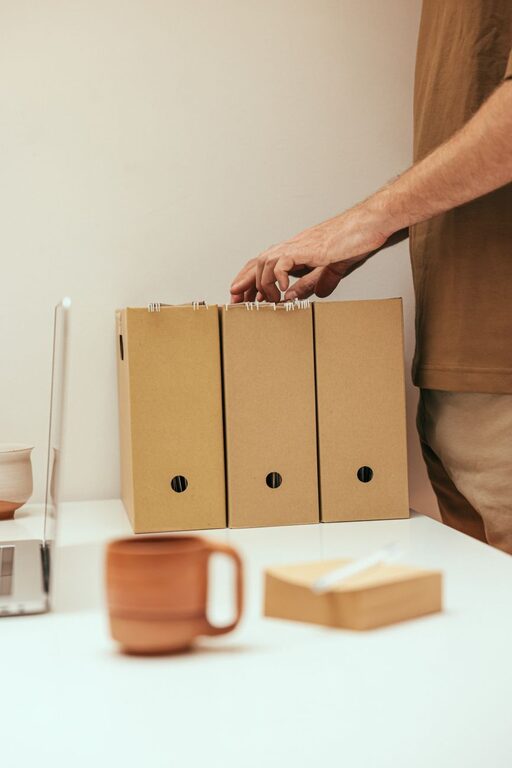
Keeping your computer files organized might seem like a tedious task, but it’s one of the best ways to improve your productivity and reduce stress. Whether you use your computer for work, school, or personal projects, a clear and orderly file system helps you find what you need quickly and keeps your digital workspace clean. Here are some practical tips to help you get started with organizing files on your computer.
Why Organizing Files Matters
An organized computer system saves time and effort. When your files are scattered or named haphazardly, you waste precious minutes searching for documents. Additionally, it can be harder to back up important data or keep your files secure. A well-structured folder system can also make it easier to share files with others and maintain a smooth workflow.
Getting Started: Clean Up First
Before creating a new filing system, spend some time cleaning up:
– Delete unnecessary files: Remove duplicates, outdated documents, or large files you no longer need.
– Empty your Recycle Bin or Trash: This frees up disk space.
– Sort by file type or date: This gives you a quick overview of what’s taking up space.
Create a Logical Folder Structure
A clear folder structure is the backbone of file organization. Here’s how to approach it:
1. Use Broad Categories
Start with a few main folders at the root level that represent broad categories of your files. Examples include:
– Work
– Personal
– Photos
– Projects
– Finances
2. Break Down Into Subfolders
Within each main folder, create subfolders for specific topics or dates. For a “Work” folder, you might have:
– Reports
– Meetings
– Presentations
– Clients
3. Be Consistent
Always organize files in the same way to avoid confusion. For example, if you use dates in folder names, stick with one format (such as YYYY-MM or YYYYMMDD).
Naming Files Clearly
File names should make it easy to identify the content without opening the file. Here are tips for naming files:
– Be descriptive: Include keywords about the content.
– Include dates when relevant: Use a consistent format like 2024-04-20.
– Avoid special characters: Stick to letters, numbers, underscores, and dashes.
– Use version numbers if needed: For example, Report_v2 or Draft_final.
Example:
Instead of naming a file “Doc1,” use “MeetingNotes_2024-04-20_ClientA.”
Use Search and Tags Effectively
Most operating systems have powerful search tools. To make the most of search:
– Use keywords in file names.
– Take advantage of file metadata when possible.
– Some systems allow tagging files—use tags like “urgent,” “review,” or “archive” to add an extra layer of organization.
Regular Maintenance
Organizing files isn’t a one-time event. Schedule regular check-ins:
– Weekly or monthly reviews to clean up and reorganize.
– Move completed projects to an archive folder.
– Back up important files regularly and ensure backups are organized similarly.
Backup Your Files
An organized file system is only effective if your data is safe. Use these tips to back up your data:
– Use an external hard drive or cloud storage service.
– Automate backups if possible.
– Keep backup copies in different locations (e.g., cloud and physical drive).
Use Helpful Tools and Apps
There are several tools that can simplify file organization:
– File Explorer/Finder: Use built-in features like sorting and quick access.
– Duplicate file finders: Help identify and remove duplicates.
– Cloud services: Many offer automatic syncing and organization options.
– File naming utilities: Some programs help rename batches of files consistently.
Avoid Common Mistakes
Here are mistakes to watch out for:
– Keeping too many files on your desktop.
– Ignoring file naming conventions.
– Storing unrelated files in the same folder.
– Forgetting to back up regularly.
Summary: Simple Steps to Get Organized
- Clean up your current files.
- Create a simple, logical folder structure.
- Name files clearly and consistently.
- Use search and tags to find files quickly.
- Backup files regularly.
- Maintain your system with regular reviews.
By spending a small amount of time on organizing your files now, you’ll save yourself hours of frustration later. A tidy digital workspace can help you focus on what matters most.
—
Happy organizing! If you have any favorite tips or tools for file management, feel free to share them in the comments below.




More Stories
How to Set Up a Family Command Center for Better Home Organization